How to Organize Genealogy Research (Systems That Actually Hold Up)
To organize genealogy research, pick one filing system — by surname, by family group, or by the numbered Ahnentafel system — and apply it to both your paper and your digital files without exceptions. Then add three habits: a consistent file-naming convention, a source citation attached to every document, and backups in at least two places with one of them off-site.
That's it. The system you choose matters far less than choosing one and sticking to it, and almost everyone who feels buried in their own research is buried because they used three systems at once. Start by printing a clean set of charts from our free printable family tree pack so the structure on your shelf matches the structure in your folders.
Free printables for this page
Download a blank PDF (US Letter or A4) — free, no sign-up — or customize it in the maker above before printing.
 Family Group Sheet
 5-Generation Pedigree Chart
 Ahnentafel Ancestor List
 Research Log
 Source Citation Log
 Family Interview Worksheet
What’s your mess? Tap the problem that sounds most like your setup to get the fix.
Tap a problem above to see the fix.
Print charts to structure your files around →Why organization is a research skill, not tidiness
Disorganised research doesn't just look messy — it actively costs you findings.
You re-order a certificate you already own. You spend an evening searching a collection you searched last spring. You find a wonderful document, can't remember which website it came from, and can't cite it — so it's evidence you can't use in a conclusion. Worst of all, you can't see the shape of what you have, so you can't see the obvious gap that would tell you what to look for next.
Good organization is really about answering three questions instantly:
- What do I have on this person?
- Where did it come from?
- What am I missing?
Every rule below exists to keep those three answers within arm's reach.
The three filing systems, compared honestly
There's no secret best system. There are three well-worn ones, each with a genuine trade-off.
| System | How it works | Best for | Weakness |
|---|---|---|---|
| By surname | One folder or binder per family name; inside, arranged by generation or date | Most researchers; easy to explain and share | Married women bridge two surnames — you must decide a rule and follow it |
| By family group | One folder per couple, holding the parents and all their children | Trees with repeated first names, or several related families in one town | More folders; a person appears in two (as child, as parent) |
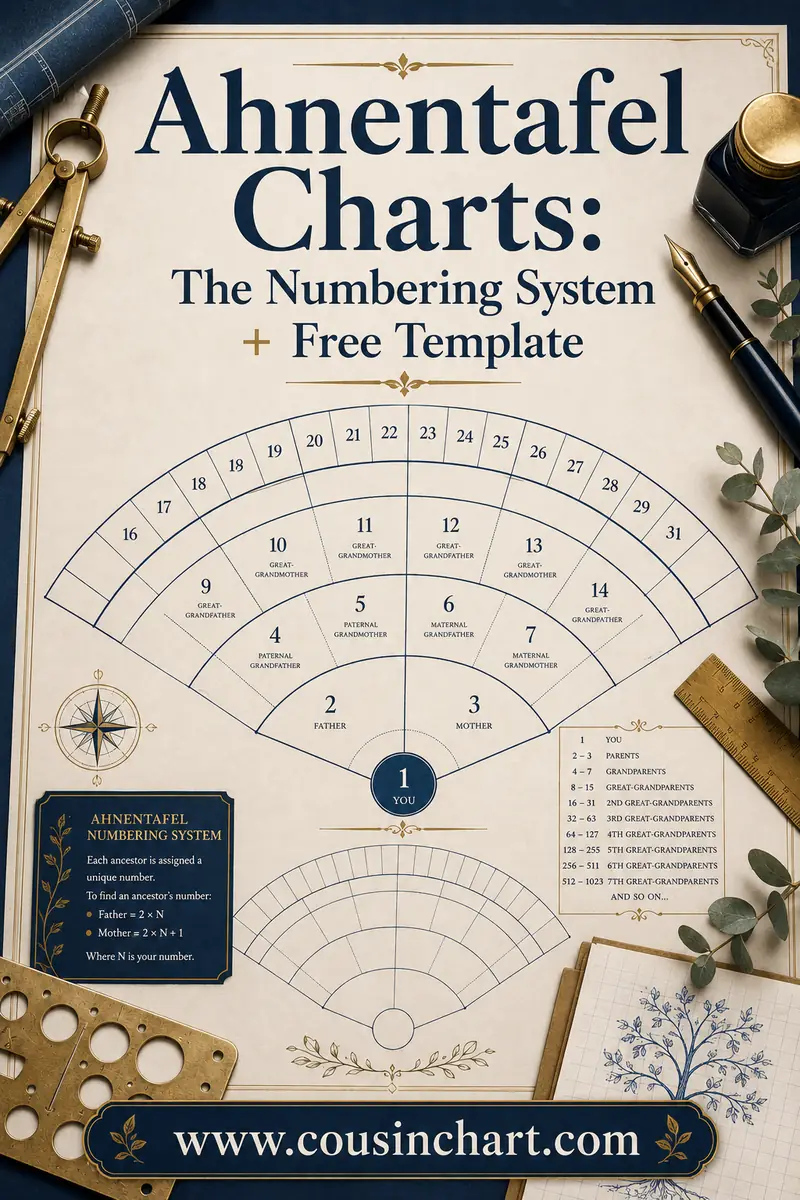
| By Ahnentafel number | Every direct ancestor has a fixed number: you 1, father 2, mother 3, and so on | Strict direct-line pedigree research | Only numbers direct ancestors — cousins, aunts and uncles don't fit |
Filing by surname
The default, and the right choice for most people. Make a folder for MILLER, one for ADAMS, one for O'BRIEN, and file everything about that family inside. Within each surname, sort by generation or by date.
The one decision it forces: where does a married woman go? Pick a rule and never deviate. The most common is to file a woman under her maiden surname, because that's the name that connects her to her parents — the direction you're researching. Note her married name on the folder as a cross-reference: `ADAMS (m. MILLER)`.
Filing by family group
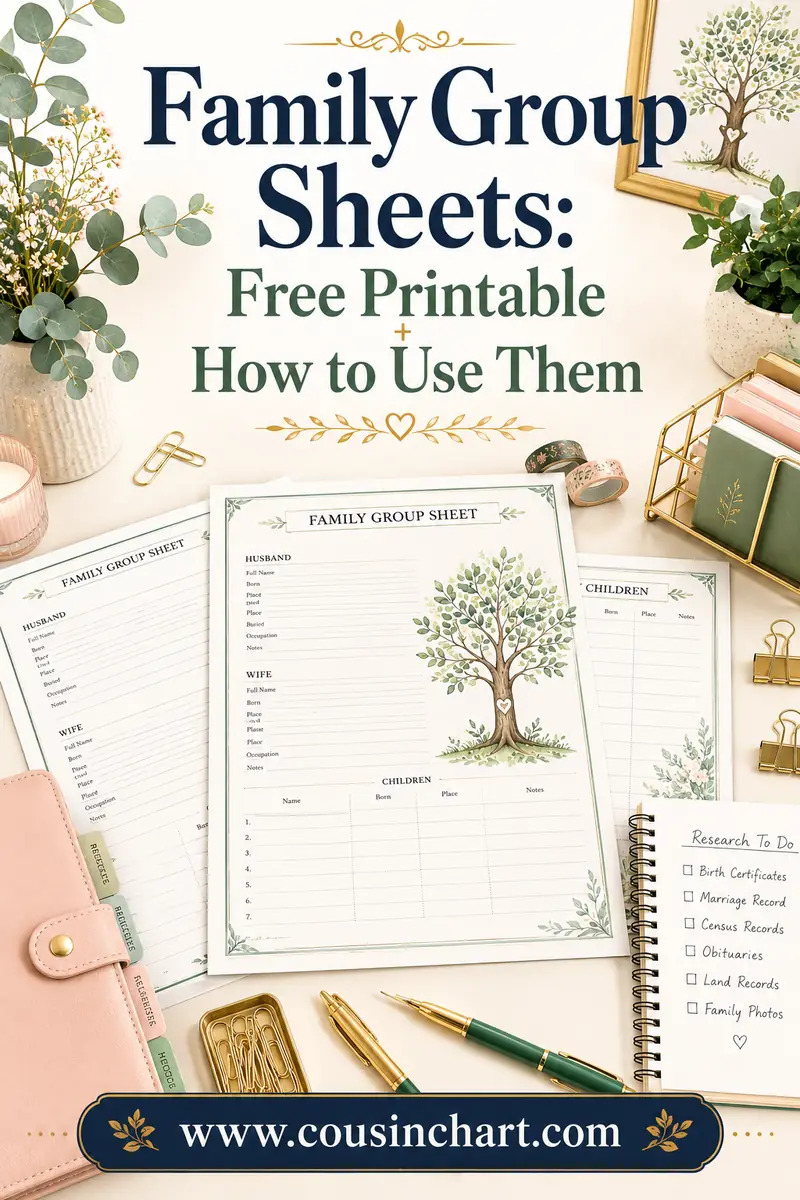
Here the unit is the household, not the name. One folder per marriage, containing the couple's marriage record, both partners' vital records, and every child's birth record — exactly the shape of a family group sheet, which is why the printed form and the folder pair so well.
This shines when your tree includes four men named John Miller within twenty miles of each other. Filing by couple keeps them separate in a way filing by name simply can't.
Filing by Ahnentafel number
The Ahnentafel system gives every direct ancestor a permanent number. You are 1. Your father is 2, your mother 3. Any person's father is their number doubled; their mother is that doubled number plus one. So your paternal grandfather is 4, your paternal grandmother 5, and so on forever.
Folders become `12 - MILLER, Jacob`. It's precise, sorts perfectly, and never produces two folders with the same label. The catch is real, though: the numbering covers direct ancestors only. The moment you research a great-uncle — and you should, because siblings break brick walls — he has no number and needs a home somewhere else.
A practical hybrid
Plenty of experienced researchers file paper by surname, keep family group sheets inside each surname folder in generation order, and print an Ahnentafel chart as an index at the front. That's not cheating; that's using each system for what it's good at. Just make sure the digital folders mirror the paper ones exactly, so you're never hunting in two different structures.
File naming: the highest-value hour you'll ever spend
Digital files are where genealogy collections actually go to die. `IMG_2287.jpg` tells you nothing, and 400 of them tell you nothing 400 times.
Adopt one pattern and use it forever:
`SURNAME_Firstname_year-recordtype-place.ext`
Real examples:
- `MILLER_John_1850-census-Stark-OH.jpg`
- `MILLER_John_1911-deathcert-Summit-OH.pdf`
- `ADAMS_Mary_1868-marriage-Stark-OH.jpg`
- `MILLER_Jacob_1861-will-Stark-OH.pdf`
Why this shape works:
- Surname first, in caps — files group by family automatically when sorted alphabetically, and the caps make the surname unmistakable in a long list.
- Year next — within a person, everything falls into chronological order on its own.
- Record type and place — you know what a file is without opening it, which is the whole game when you're scanning a folder for one document.
- No spaces, no slashes, no apostrophes — underscores and hyphens survive every operating system, cloud service and backup tool. `O'Brien` becomes `OBRIEN`.
Add a suffix when you have two of something: `-p1`, `-p2`, or `-index` versus `-image`. And if a document covers a whole family — a census page, for instance — name it for the head of household and note the rest in your log.
Scanning standards worth knowing
Scan documents at 300 dpi minimum; photographs at 600 dpi if you might ever print or enlarge them. Save the master as a TIFF or high-quality JPEG and keep it untouched — do your cropping and brightening on a copy. Never throw away the original scan because you've made a prettier version; five years from now you may need detail you cropped off.
Digital folders: one structure, mirrored everywhere
Keep it shallow. Deep folder trees hide things.
```
Genealogy/
Surnames/
MILLER/
ADAMS/
OBRIEN/
Photos/
Research-log.xlsx
To-do.txt
Charts/
```
Inside each surname folder, subfolders by person or by couple, depending on the system you chose. That's usually enough — three levels deep, no more.
Two rules that keep it working:
- The digital structure matches the paper structure. If your binder is `MILLER → Jacob & Mary → children`, your folders are too. Switching mentally between two different structures is a tax you pay every session.
- Nothing stays in Downloads. The moment you save a record, rename it and move it. Files that live in the downloads folder overnight live there for two years.
Paper: what to keep, and how
Even a mostly-digital researcher accumulates paper — certificates you ordered, printouts, photocopies from an archive, letters people mailed you.
- Binders beat filing cabinets for genealogy, because you can carry one surname to the library.
- Use archival-quality sleeves for anything original. Ordinary plastic wallets can contain PVC, which degrades documents over decades. Acid-free sleeves and folders cost a little more and are worth it for originals.
- Never write on an original document, not even in pencil on the back of a photo. Write on a slip of acid-free paper stored with it, or on the sleeve.
- Keep originals flat and dark. Attics and basements are the two worst places in the house: heat, damp and temperature swings.
- Digitise the originals, then work from the scans. Handle the real thing once.
If you like working on paper, our free printable genealogy forms collection gives you consistent family group sheets, pedigree charts and log sheets — and consistent forms make a binder navigable in a way loose notes never will.
Backups: the boring rule that saves the whole project
The standard is 3-2-1: three copies of your data, on two different types of media, with one copy off-site.
In plain terms: the files on your computer, a copy on an external drive, and a copy in cloud storage. An external drive sitting next to the laptop is not an off-site copy — one burst pipe or one theft takes both.
Other things worth doing:
- Test a restore once. A backup you've never opened is a hypothesis, not a backup.
- Export your family tree file regularly (most programs export GEDCOM) and back that up alongside your images. If your software vanishes, the export is what survives.
- Include the research log and to-do list. People back up the pretty documents and lose the file that tells them where they'd got to.
- Tell someone where it is. Genealogy collections are frequently lost not to disaster but to a family who found a hard drive and had no idea what was on it. Write a note for your family that says what the collection is and where the backups live.
Cite the source, at the moment you file
The rule is simple: a document without a citation is barely evidence. If you can't say where it came from, you can't weigh it against a conflicting record, and nobody else can verify it.
Capture, at minimum:
- The website, archive or repository
- The collection name, with its place and year coverage
- The specific identifier — page, entry, roll, certificate or volume number
- The date you accessed it
- Where your copy is saved
Do it while the tab is still open. "I'll add citations later" is the most reliably broken promise in family history, because later you're staring at a JPEG with no idea whether it came from FamilySearch, a county website or a cousin's email.
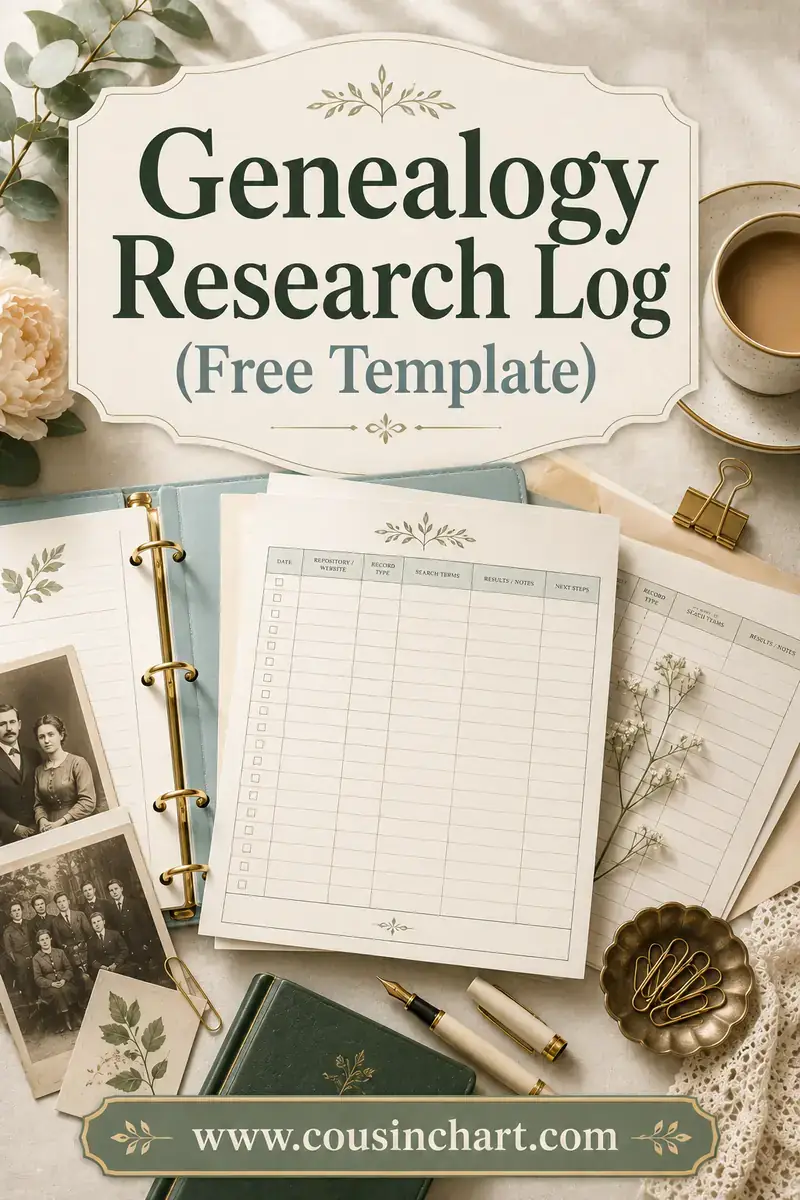
Pair citations with a genealogy research log and you get the full picture: the log says where you looked, the citation says where a fact came from. Together they mean you never redo work — the single biggest time saving available to any researcher.
The Genealogical Proof Standard, in plain English
The recognized benchmark for sound genealogical work has five parts:
- A reasonably exhaustive search — you looked at the range of sources likely to answer the question, not just the first one that was convenient.
- Complete and accurate source citations — every piece of evidence is traceable back to where it came from.
- Analysis and correlation of the evidence — you weighed what each source is worth, and compared them against each other.
- Resolution of conflicting evidence — where sources disagree, you explained which is more likely and why, rather than quietly picking one.
- A soundly reasoned, coherently written conclusion — you wrote down your reasoning, not just your answer.
You don't need to be certified to work this way, and hobbyists benefit most from points 2 and 4. Notice how much of the standard is really about organization: exhaustive searching needs a log, citations need a filing habit, and resolving conflicts is impossible if you can't find the two documents that disagree.
Keep one master to-do list
Separate from your log, keep a single running list of what to do next — ideally fed by the "next step" column of your log.
Write items as specific searches, not vague intentions:
- Bad: research the Adams family
- Good: order Mary Adams's 1868 marriage certificate from Stark County
- Good: check 1870 census for Jacob Miller, Summit Co., under Mueller and Muller
Keep it in one place — a text file, a note, a sheet — and prune it when items are done. A to-do list scattered across three notebooks and a phone note is the same as no to-do list.
Digging out of an existing mess
If you already have years of unorganised material, don't try to fix it all first. That's how people quit.
- Choose your system today and write the rules down on one page: filing system, naming convention, backup locations.
- Apply it to everything new from now on. Immediately, no exceptions.
- Fix the backups this week. That's the only genuinely urgent item — everything else is recoverable time, but a dead drive isn't.
- Convert the old material one surname at a time, in short sessions, while you carry on researching normally. A surname an evening is real progress.
- Start the log now, even though it will be missing the first ten years. A log that begins today is worth vastly more than a perfect log you never start.
And if you're at the start of all this rather than the middle, you have the best possible advantage: set up the system before there's anything to sort out. Our beginner's guide to building a family tree walks through the research order, and organizing alongside it costs almost nothing.
FAQ
What's the best way to organize genealogy research?
Pick one filing system — surname, family group, or Ahnentafel numbering — and use it for both paper and digital files. Add a consistent file-naming convention, a citation attached to every document, a research log, and 3-2-1 backups. Surname filing suits most people because it's the easiest to explain, search and share.
Should I file married women under their maiden or married name?
Under their maiden name, as a general rule, because that's the surname that links her to her parents and to the family line you're trying to extend. Label the folder with both — `ADAMS (m. MILLER)` — so you can find her either way. What matters most is applying the same rule to every woman in your files.
How should I name genealogy files?
Use `SURNAME_Firstname_year-recordtype-place.ext`, for example `MILLER_John_1850-census-Stark-OH.jpg`. Surname first groups families alphabetically, the year sorts each person's documents chronologically, and the record type tells you what a file is without opening it. Avoid spaces, slashes and apostrophes.
Do I need special software to stay organized?
No. A clear folder structure, consistent filenames and a spreadsheet log will carry you a very long way. Genealogy software adds real value once you're managing hundreds of people — reports, relationship calculations, source templates — but it doesn't replace the naming and filing habits, and it can't fix a disorganised set of files.
How should I back up my genealogy research?
Follow 3-2-1: three copies, on two different media types, with one copy off-site or in the cloud. Include your image files, your family tree export, your research log and your to-do list. Test that you can actually restore a file, and tell a family member where the backups are and what they contain.
What is the Genealogical Proof Standard?
It's the recognized benchmark for credible genealogical conclusions: a reasonably exhaustive search, complete and accurate source citations, analysis and correlation of the evidence, resolution of any conflicting evidence, and a soundly reasoned written conclusion. Most of it depends on being organized enough to find, cite and compare your own sources.
Set the system up once
Organizing research isn't about having a beautiful shelf. It's about being able to answer "what do I have, where did it come from, and what's missing?" in under a minute — which is exactly what lets you research instead of re-research.
Choose a system tonight, write the rules on one page, and print a fresh set of charts from our free printable family tree collection to hang the whole thing on. And when a newly-filed document reveals a relative whose exact relationship to you isn't obvious, the family relationship calculator will name it in a couple of clicks.