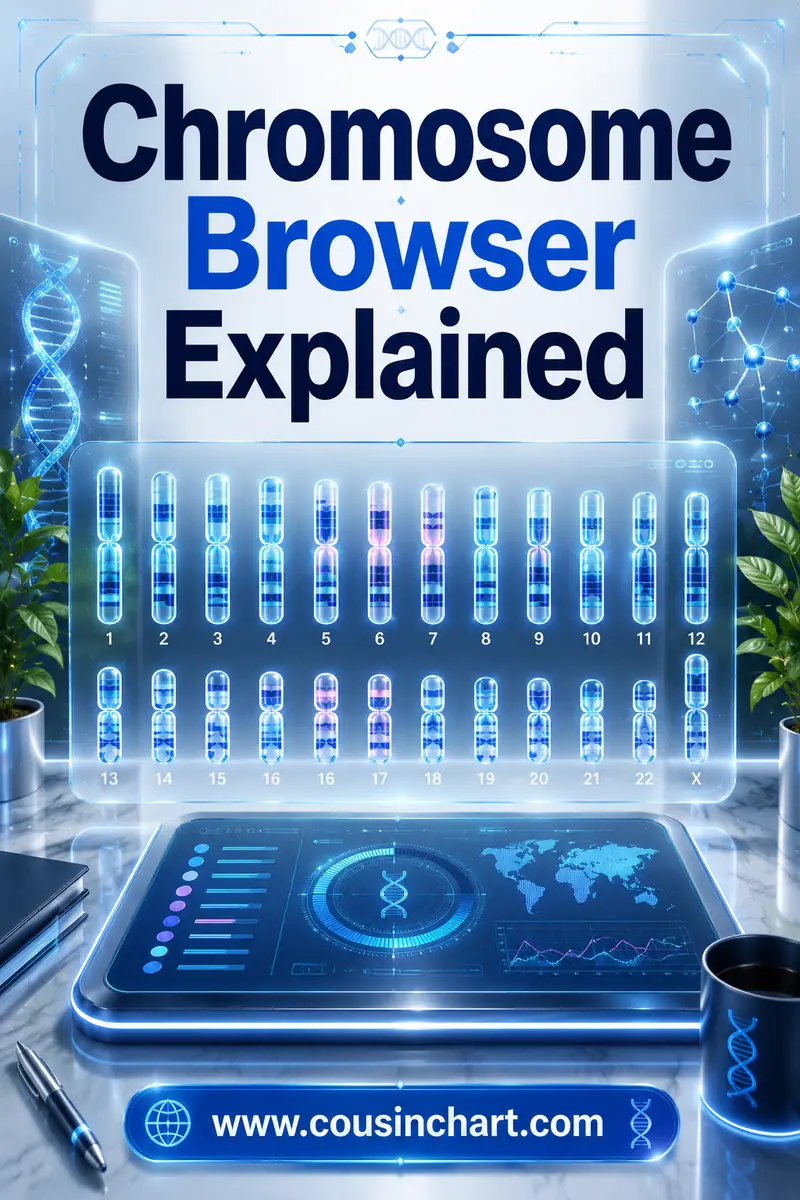
Chromosome Browser Explained: How to Read Your DNA Segments
A chromosome browser is a tool that shows you where on your 23 pairs of chromosomes you overlap with a DNA match, instead of just telling you how much DNA you share in total. It draws your chromosomes as bars and paints a colored block on each spot where the two of you match, with a start position, a stop position, and a size measured in centimorgans. AncestryDNA does not have a chromosome browser — 23andMe, MyHeritage, FamilyTreeDNA and the free third-party site GEDmatch all do.
That single difference between "how much" and "where" is what unlocks the more advanced side of genetic genealogy: triangulation, chromosome mapping, and figuring out which side of your family an unknown match belongs to. If you just want to know what a shared-cM number means before you go segment-hunting, the free DNA match calculator will translate the number into likely relationships in about five seconds.
Reading a chromosome browser. Tap a part of the screen to see what it actually tells you:
Tap anything above to see what it means.
What Does a Chromosome Browser Actually Show You?
Your match list gives you one number per person: total shared centimorgans (cM), the standard unit for measuring a stretch of shared DNA. That number is useful, but it's a summary. It flattens everything down to a single total and throws away the detail.
A chromosome browser puts the detail back. It shows your chromosomes laid out in order — 1 through 22 plus the X — and paints a colored band wherever you and a selected match share DNA. Underneath, most sites give you a table with the raw numbers: chromosome number, start position, end position, size in cM, and often the number of SNPs (the individual DNA markers) inside that segment.
So instead of "you and Karen share 84 cM," you get something far more useful: "you and Karen share 84 cM in two pieces — 61 cM on chromosome 7 and 23 cM on chromosome 14." Those two facts behave very differently, and only one of them is visible without a browser.
Why "where" beats "how much"
Two matches can share the identical total and be related to you in completely different ways. Say two people each share 84 cM with you. One shares it as a single 84 cM segment; the other shares it as eleven small pieces of 7 or 8 cM. The first is almost certainly a genuine cousin a handful of generations back. The second is more likely a distant, tangled, possibly-partly-false connection — the kind you see constantly in populations with a lot of intermarriage.
Segment locations also let you group matches by line. If four people all overlap on the same stretch of chromosome 12, they're probably all connected to you through the same ancestral couple, even if you can't yet name that couple. That's a genuine research lead, and totals alone can't give it to you.
Which DNA Companies Have a Chromosome Browser?
This is the practical question, and the answer surprises a lot of people who tested at the biggest company.
| Site | Chromosome browser? | What you get |
|---|---|---|
| AncestryDNA | No | Total cM, longest segment length, shared matches, ThruLines, SideView parent-side labels |
| 23andMe | Yes | DNA Relatives comparison view; you must opt in to sharing to see segments |
| MyHeritage DNA | Yes | Full browser plus a built-in triangulation view on shared matches |
| FamilyTreeDNA | Yes | Family Finder chromosome browser; compare several matches at once |
| GEDmatch | Yes | Free third-party site; one-to-one comparisons, plus paid Tier 1 tools |
Most of these browsers let you overlay a handful of matches at once — commonly around five to seven, depending on the site — each in a different color, so you can see at a glance who overlaps whom.
Why doesn't AncestryDNA have one?
Ancestry has said it's a deliberate choice, framed around privacy and around keeping the interface simple for the enormous number of casual testers who make up most of its customer base. Whatever the reasoning, the effect is that the largest match database in the world is also the one you can't do segment work in.
Ancestry does give you tools built on the same underlying data. Shared Matches shows who matches both you and a given person (down to 20 cM). ThruLines guesses at the common ancestor using member trees. SideView labels many of your matches as "Parent 1" or "Parent 2" without you needing to test a parent. Those are genuinely good features — they're just not segment data.
The workaround is straightforward: download your raw DNA file from Ancestry and upload it to MyHeritage, FamilyTreeDNA, or GEDmatch, all of which accept transfers. Uploading is free at each; MyHeritage and FamilyTreeDNA charge a modest one-time unlock fee to open up their full advanced tool set. Note that 23andMe and AncestryDNA do not accept uploads from elsewhere — those two require you to test with them directly.
How Do You Read the Numbers in a Chromosome Browser?
Under the pretty colored bars sits a table, and the table is where the work happens. Here's what each column means.
Chromosome — which of the 23 you're looking at. Nothing complicated.
Start and end position — the physical map coordinates where the shared stretch begins and ends, given in base pairs (so 12,400,000 to 38,900,000). These are the numbers you copy when you're recording a segment or painting it into a mapping tool.
Centimorgans (cM) — the genetic length of the segment. This is not the same as the physical length, and that trips people up. A centimorgan measures how likely a stretch is to get broken up during recombination, and some regions of the genome recombine far more than others. So a physically long segment in a quiet region can be worth fewer cM than a physically shorter one elsewhere.
SNPs — how many tested markers fall inside the segment. Low SNP counts make a segment less trustworthy even if the cM number looks respectable, which is why most sites let you set a minimum SNP threshold.
One warning about genome builds
Different sites have used different reference genome versions (you'll see "Build 36" and "Build 37" mentioned). Position numbers from one build don't line up with the other. If you're saving segment data or importing it into a mapping tool, note which build it came from — mapping tools will ask, and mixing builds silently misplaces your segments.
What Does Segment Size Tell You?
Here's the core intuition: every time DNA passes from parent to child it gets shuffled and cut, so segments get shorter with each generation. Long segments haven't had many generations to be chopped up, which means a long segment points to a recent common ancestor. Short segments have survived many cuts — or were never inherited at all and just look identical by chance.
That's why the longest segment is often more informative than the total. Ancestry shows it, and it's one of the few segment-flavored numbers you get there.
| Longest shared segment | How much to trust it | Rough interpretation |
|---|---|---|
| 100+ cM | Certain | Close relative — usually within three or four generations |
| 30–60 cM | Very high | A real, findable cousin; common ancestor typically within about five generations |
| 15–30 cM | High | Almost always genuine, but the ancestor may sit five to eight generations back |
| 7–15 cM | Moderate | Usually real, occasionally not; often too distant to place in a documented tree |
| Under 7 cM | Low | Frequently a false positive; not safe evidence on its own |
Two matches with the same total tell different stories: 90 cM in one piece is a much stronger lead than 90 cM spread over twelve fragments. If you want the total-cM side of this explained properly, our centimorgan guide and the shared cM chart breakdown cover the ranges relationship by relationship.
Why Are Small Segments Under 7 cM Unreliable?
Because two people can look identical in a short stretch of DNA without having inherited it from a shared ancestor. Genealogists call the real thing IBD (identical by descent) and the coincidence IBS (identical by state). Below roughly 7 cM, the coincidences start to outnumber the inheritances.
There's a second, sneakier problem. The browser stacks your maternal and paternal copies of each chromosome into one bar. If a match happens to line up with bits of both copies alternating along a stretch, the algorithm can read that patchwork as one continuous match. That's a false segment — it isn't a real inherited piece from either parent, it's an artefact of how the comparison works. This is much more likely on small segments.
Then there are pileup regions: spots in the genome where huge numbers of unrelated people appear to match, because the DNA there is common across a whole population. Ancestry runs an algorithm called Timber specifically to strip these out, which is part of why Ancestry's cM totals for distant matches often read lower than the same pair's total on another site.
Practical rules that will save you months:
- Set your browser's threshold to 7 cM and leave it there for everyday research.
- Don't accept a lone small segment as proof of a connection, ever.
- Be extra skeptical if your ancestry includes an endogamous population — small false segments multiply in communities where everyone's related several times over.
- If you must look below 7 cM, only do it when the match is already confirmed through something else.
What Is Triangulation and How Does It Work?
Triangulation is the single best reason to use a chromosome browser. The idea: if you and two or more other people all share the same segment in the same location, and those people also match each other on that segment, then that piece of DNA almost certainly came down from one specific ancestral line.
That last condition is the one people skip. Three people all matching you on chromosome 5 proves nothing by itself — one could be matching your mother's copy and another your father's, in the same physical spot. They have to match each other there too.
How to triangulate, step by step
- Pick a match you care about and note their segments.
- Look at your shared matches with that person.
- Load several of those shared matches into the chromosome browser together and find where they overlap.
- Check that the overlapping people also match one another on that same segment — most sites offer an in-common or triangulation view; GEDmatch's one-to-one comparisons let you check any two people directly.
- Look for a genuine overlap of meaningful size, not a couple of cM of incidental crossover at the edges.
- Compare the trees of everyone in the group and look for a shared surname, place, or couple.
When it works, you end up able to say "this segment of chromosome 5 came from my Donnelly line" — and every future match on that segment gets sorted instantly.
What triangulation can't do
It won't name your ancestor for you; it groups people, and you still need documents or trees to identify the couple at the top. It's unreliable inside endogamous populations, where a group can triangulate through several different shared ancestors at once. And it's useless on small segments, since the whole thing collapses if the segments aren't real.
When Do You Actually Need a Chromosome Browser?
Honestly? Most people don't, at least not at first. If you're trying to place a 900 cM match, a chromosome browser adds nothing — the total, a couple of shared matches, and thirty minutes with a family tree will settle it.
A chromosome browser earns its keep when:
- You're chasing an unknown parent or grandparent and need to split matches into ancestral lines.
- You've hit a brick wall and want to know which matches belong to the same line.
- You're mapping your chromosomes to specific ancestors (see our DNA Painter guide for how that's done).
- You have several possible explanations for a match and need to test which line it comes through.
- You're working with matches too distant for shared-match lists to help.
You can skip it when:
- Your match is close and the tree work is obvious.
- You have living relatives on both sides who've tested — their match lists already sort your matches for you.
- You're doing color clustering, which needs only shared-match lists and works fine on Ancestry.
What Are the Most Common Chromosome Browser Mistakes?
Treating the stacked bar as one chromosome. You have two copies of each chromosome, and the browser shows them merged. Without phasing (working out which parent each piece came from, usually by testing a parent), overlap on screen doesn't mean overlap on the same parental copy.
Comparing cM totals across sites and expecting them to match. Different companies use different thresholds, different algorithms, and different handling of pileup regions. A match can be 42 cM in one place and 51 cM in another. Both numbers are "right" for their own system.
Chasing every small segment. New users often go straight to the 3 cM threshold, find hundreds of matches, and lose weeks. Start at 7 cM.
Forgetting the X's rules. X-DNA is inherited unevenly — a man gets his X only from his mother, so his father's father's line can never be the source. That's an enormously powerful filter, but the X's recombination pattern makes its cM values behave differently from the autosomes, so don't read X segment sizes the same way.
Not recording anything. Segment data is only cumulative if you save it. A simple spreadsheet with match name, chromosome, start, end, cM, and your best guess at the line beats a browser tab you'll close in an hour.
FAQ
Does AncestryDNA have a chromosome browser?
No. AncestryDNA doesn't offer one and never has. You get total shared cM, longest segment, shared matches, ThruLines, and SideView instead. To do segment work with an Ancestry test, download your raw data and upload it free to MyHeritage, FamilyTreeDNA, or GEDmatch.
What is a good segment size to trust?
Segments of 15 cM and above are almost always genuine inherited DNA. Between 7 and 15 cM they're usually real but often too distant to place. Below about 7 cM, false positives are common enough that a single small segment shouldn't be treated as evidence.
What does triangulation prove?
That a specific segment of DNA came down through one particular ancestral line, shared by everyone in the triangulated group. It doesn't name the ancestor — you still need trees or records for that — and it's unreliable in endogamous populations where a group may connect through several ancestors at once.
Can I use a chromosome browser if I only tested at 23andMe?
Yes. 23andMe has a comparison tool that shows shared segments, though both you and the match need to be opted into DNA Relatives and sharing. You can also download your 23andMe raw data and upload it to MyHeritage, FamilyTreeDNA, or GEDmatch for more tools.
Why do different sites give different cM totals for the same match?
Each company uses its own matching thresholds, marker sets, and cleanup algorithms. Ancestry in particular strips out DNA in pileup regions, which lowers its reported totals for distant matches. Expect variation of several cM between sites — it's normal, not an error.
Do I need to pay for a chromosome browser?
No. Uploading your raw data to GEDmatch is free and gives you one-to-one segment comparisons straight away. MyHeritage and FamilyTreeDNA accept free uploads and charge a small one-time unlock fee for their full advanced feature sets, including their browsers.
Start With the Number, Then Go Find the Segment
A chromosome browser turns your DNA results from a leaderboard into a map. It won't do the genealogy for you, and it won't rescue a 4 cM segment from being noise — but when you're trying to work out which branch a mystery cousin belongs to, seeing exactly where you overlap is worth more than any total.
Before you go segment-hunting, get the easy answer first: drop the shared cM figure into the free DNA match calculator and see which relationships are actually plausible. Then, once you know what you're looking for, check how accurate your test really is and compare Ancestry against 23andMe if you're deciding where to put your next kit.